KNOWLEDGE BASE & SUPPORT
Frequently Asked Questions
Everything you need to know about creating, editing, resizing, and optimizing animated GIFs with 100% in-browser privacy.
Core Platform Standards
Zero Watermarks
Output is clean and ready for commercial or personal use.
100% In-Browser
Runs on local device hardware without server lag.
High Frame Rates
Smooth 8 to 24 FPS playback customization.
Frequently Asked Questions
Is igifmaker truly free with zero watermarks?+
Yes, 100%. We do not add watermarks, logo stamps, or mandatory credit overlays to any generated GIF. You also do not need an account or subscription.
Are my video files or photos ever sent to your servers?+
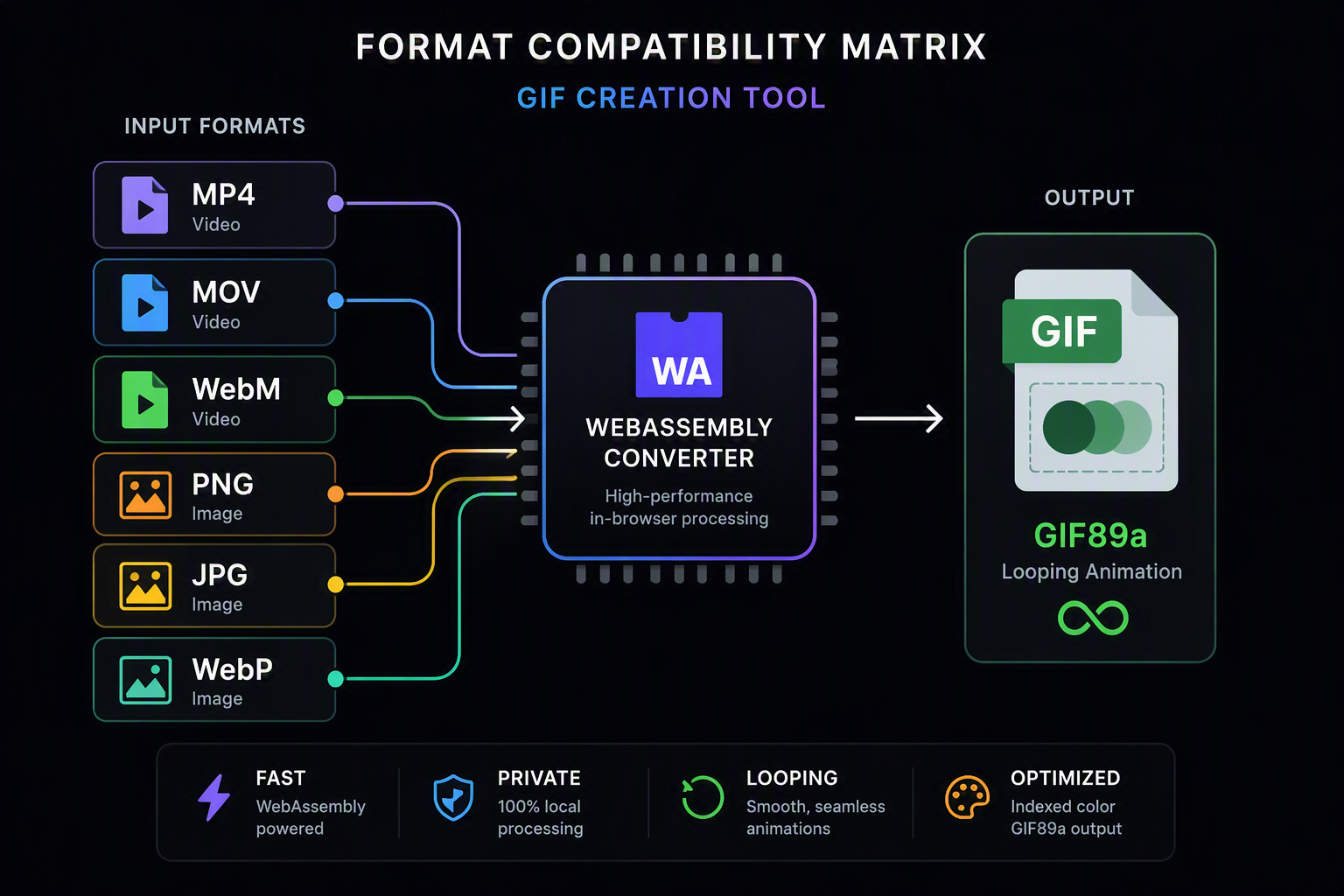
No. All media decoding, frame extraction, color quantization, and file assembly execute directly inside your web browser via Web Workers and WebAssembly. Your media files never leave your local machine.
Why are GIF files often heavier than original MP4 videos?+
Modern MP4 video uses temporal inter-frame compression (H.264/AV1) that stores only moving changes. GIF89a stores full raster bitmaps for every frame with limited LZW compression. To minimize size, reduce dimensions or frame rate in our studio.
What video formats are supported for conversion?+
Our engine supports MP4 (H.264), WebM (VP8/VP9), and MOV formats supported by modern browser video decoders.
Can I adjust playback speed or reverse existing GIFs?+
Yes. You can use our GIF Speed Changer (/gif-editor/speed) to accelerate or create slow-motion GIFs, or our Reverse GIF Maker (/gif-editor/reverse) to play animations backward or create bouncing ping-pong loops.
How does lossy compression reduce file weight without ruining quality?+
Our compression engine groups near-identical color vectors through NeuQuant neural network clustering and reduces palette depth from 256 colors to 64 or 32 colors. This creates longer repeating byte sequences that LZW compresses much more efficiently.
What are the recommended dimensions for Discord emojis and stickers?+
Discord emojis must be square and under 256 KB. We recommend cropping to a 1:1 aspect ratio with our Crop tool and setting dimensions to 128×128 or 320px with our Resize tool.
Looking for our policies and developer details?
Learn more about our architecture, privacy guarantees, and usage terms.
Ready to build your first high-fps animated GIF?
Jump directly into our studio engine. Drag and drop any MP4, WebM, MOV, or photo sequence to start creating.