
Fast, Free In-Browser GIF Maker
igifmaker was originally built to make GIF creation direct, fast, and entirely private. Rather than pushing your 100MB video clips to an external cloud queue and waiting in line, our engine compiles frames right inside your browser tab. We spent years engineering client-side WebAssembly routines so you get crisp 30 FPS playback, precise frame clipping, and custom palette optimization without a single pixel leaving your device. There are no account walls, no surprise fees, and zero watermarks stamped over your work.
Drag & drop MP4, WebM, MOV, or photos here. 100% processed in your browser.
How to Make Watermark-Free Animated GIFs in Seconds
From local video scrubbing to instant frame quantization, igifmaker transforms raw media into ultra-compact, high-frame-rate looping animations directly within your browser.
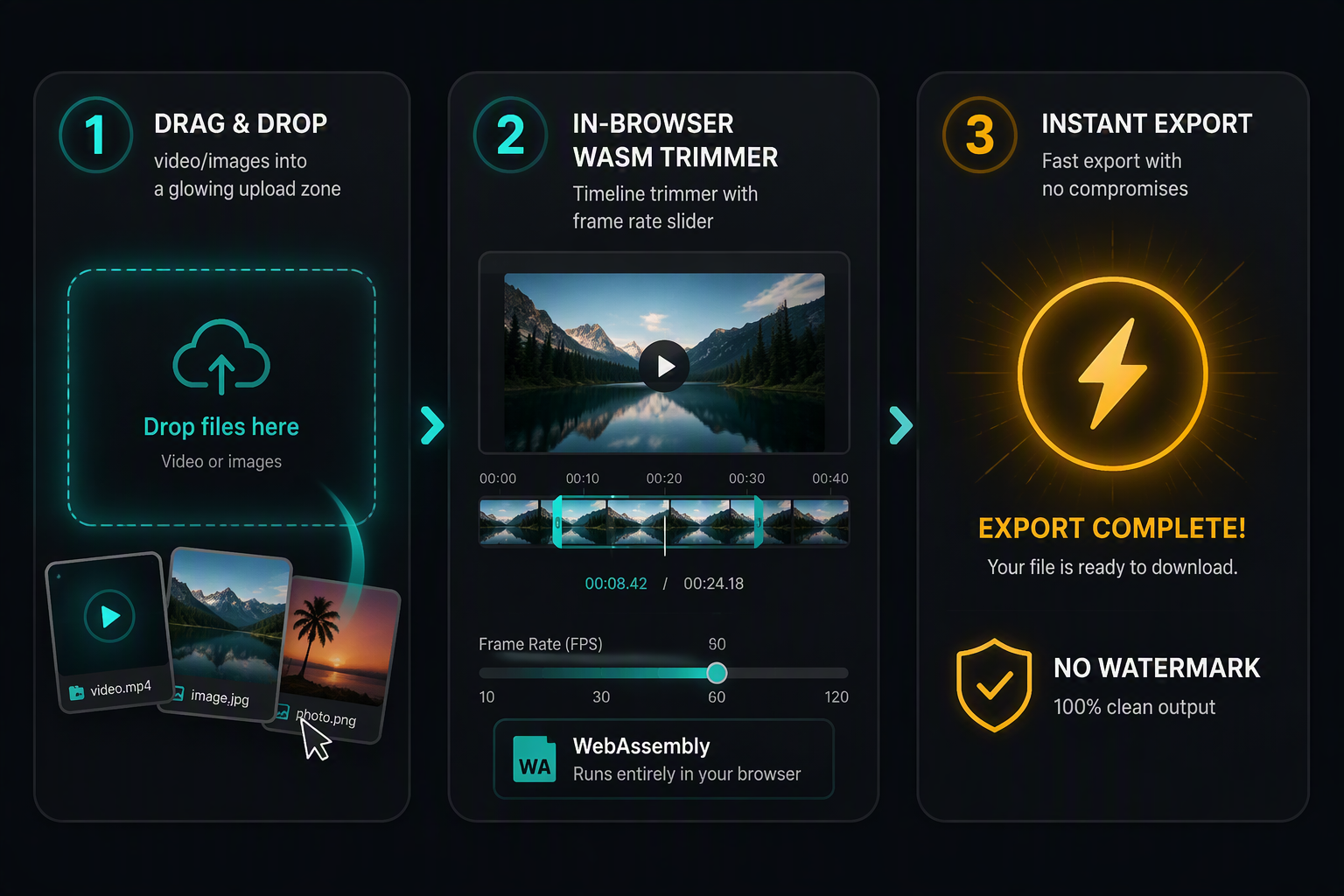
In-Browser WebAssembly vs Legacy Cloud Converters
Traditional online GIF tools require you to upload raw, 50MB to 200MB video files over slow internet connections to third-party cloud queues. When thousands of people convert simultaneously, those remote queues stall, and many services slap large watermarks on the resulting image to coerce you into monthly subscriptions. igifmaker executes all media transformations locally within browser WebAssembly sandboxes and dedicated Web Workers.

| Evaluation Criteria | igifmaker (Local WASM) | Typical Cloud Converters |
|---|---|---|
| Video File Uploads | 0 MB (Stays on local device) | Full video uploaded over network |
| Privacy & Data Retention | 100% Private (Garbage-collected from RAM) | Retained on cloud disks for 1-24 hours |
| Watermarks & Branding | Zero watermarks, permanently free | Watermarks unless paid plan purchased |
| Queue Wait Times | Instant (Parallel CPU threads) | 30s to 5min during peak traffic |
| File Size Limits | Unlimited (Bound only by system RAM) | Restricted to 50MB - 100MB |
| Color Quantization | NeuQuant 256-color neural tables | Crude median-cut with harsh banding |
Supported Media Formats & Container Specifications
H.264 video streams decoded via browser GPU hardware contexts.
Modern open-source web video streams with instant keyframe indexing.
High-bitrate QuickTime recordings from macOS and iPhone cameras.
Still photos with alpha transparency support for clean composite loops.